2026-08 v1.7
Your notebook just got a lot more capable.
Until now, each cell worked the same way: you wrote a prompt, the AI responded, and you moved to the next cell. It was fast, but it was on you to string the steps together — plan the analysis, decide what to run next, and check whether the output actually made sense.
That changes today.
What's new
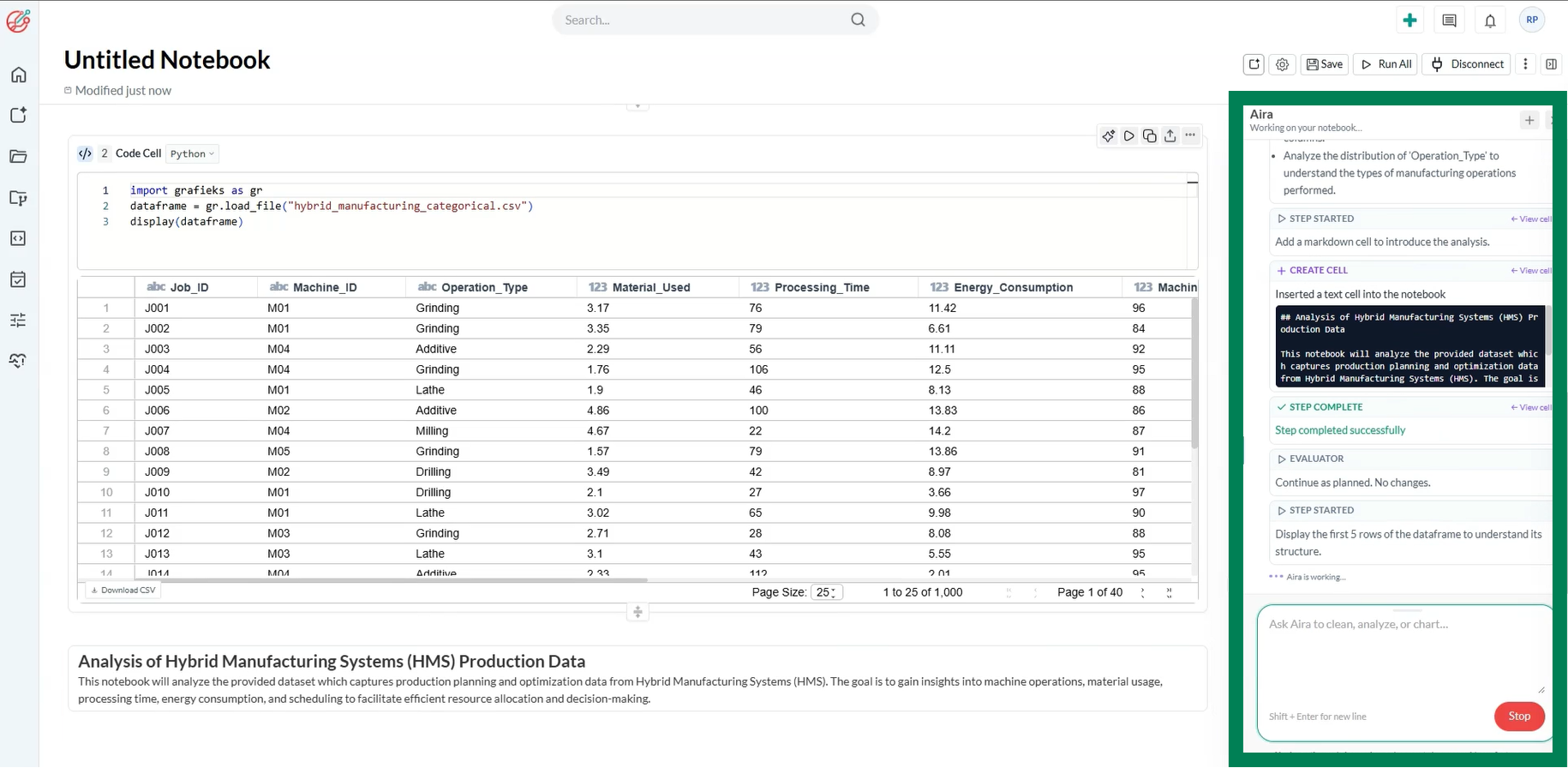
The notebook now works agentically, end to end. Instead of executing one prompt at a time, the AI can:
- Plan — break down your goal into a sequence of steps across cells
- Orchestrate — decide what to run, in what order, and adapt the plan as new information comes in
- Execute — run code, transform data, and produce outputs across the notebook
- Evaluate — check its own results, catch errors or dead ends, and self-correct before moving forward
In short: you describe the outcome you want, and the notebook figures out and carries out the path to get there.
Why it matters
Multi-step analysis used to mean manually chaining cells together, re-running things when an earlier step turned out wrong, and eyeballing outputs for mistakes. Now the notebook handles that loop itself, planning ahead, adjusting mid-flight, and checking its own work, so you can focus on the questions you actually care about instead of the mechanics of getting there.
What stays the same
Every cell is still visible and editable. You can inspect what the AI planned, step in at any point, tweak a cell, or take over manually — the agentic workflow doesn't hide anything from you, it just does more of the legwork by default.
Get started
Open any notebook and give it a goal instead of a single instruction — for example, "clean this dataset, find the top drivers of churn, and chart them" — and watch it plan and work through the notebook on its own.